 ProductPolish
Best AI Product Photo Tool 2026: The 6 Criteria That Actually Matter

The best AI product photo tool isn't the one with the prettiest demo images. It's the one that doesn't change your product — and whose output you're allowed to use on Amazon, Shopify or Etsy without a detour. Everything else is secondary.
Because the one result that makes a product image unusable is always the same: the tool produces a beautiful photo of a product that isn't yours. The logo is mirrored, a strap is missing, the proportions are off. Fine for Instagram — a dealbreaker for a listing someone buys from and then returns.
This article doesn't hand you a ranking that's outdated tomorrow. It gives you six criteria to judge any tool yourself — including where AI photography hits its limits in the first place.
Why most "top 10" lists mislead
The usual rankings sort by two things that are irrelevant to your listing: how pretty the vendor demos look, and affiliate payouts. Neither tells you whether a tool works with your catalogue.
An e-commerce product image has a different job than a moodboard. It has to sell without deceiving — and it has to clear the approval rules of the platform it sits on. Those exact two points are missing from most comparisons.
The 6 criteria that actually matter
Run every tool through these six questions. The order is deliberate: criterion 1 is a knockout; the others decide how much work the tool actually takes off your plate.
1. Product fidelity — is it still the same product?
The most important criterion, and the one least often tested. An AI image may change background and light — but never the product itself: logo, wordmarks, proportions, material, number of parts.
Weak: The tool re-generates a "similar" product from your photo. The speaker suddenly has different dimensions, the carry strap is gone, the logo is mirrored. Strong: The tool keeps angle and proportions and swaps only background and lighting. A customer recognises exactly the product they unbox.
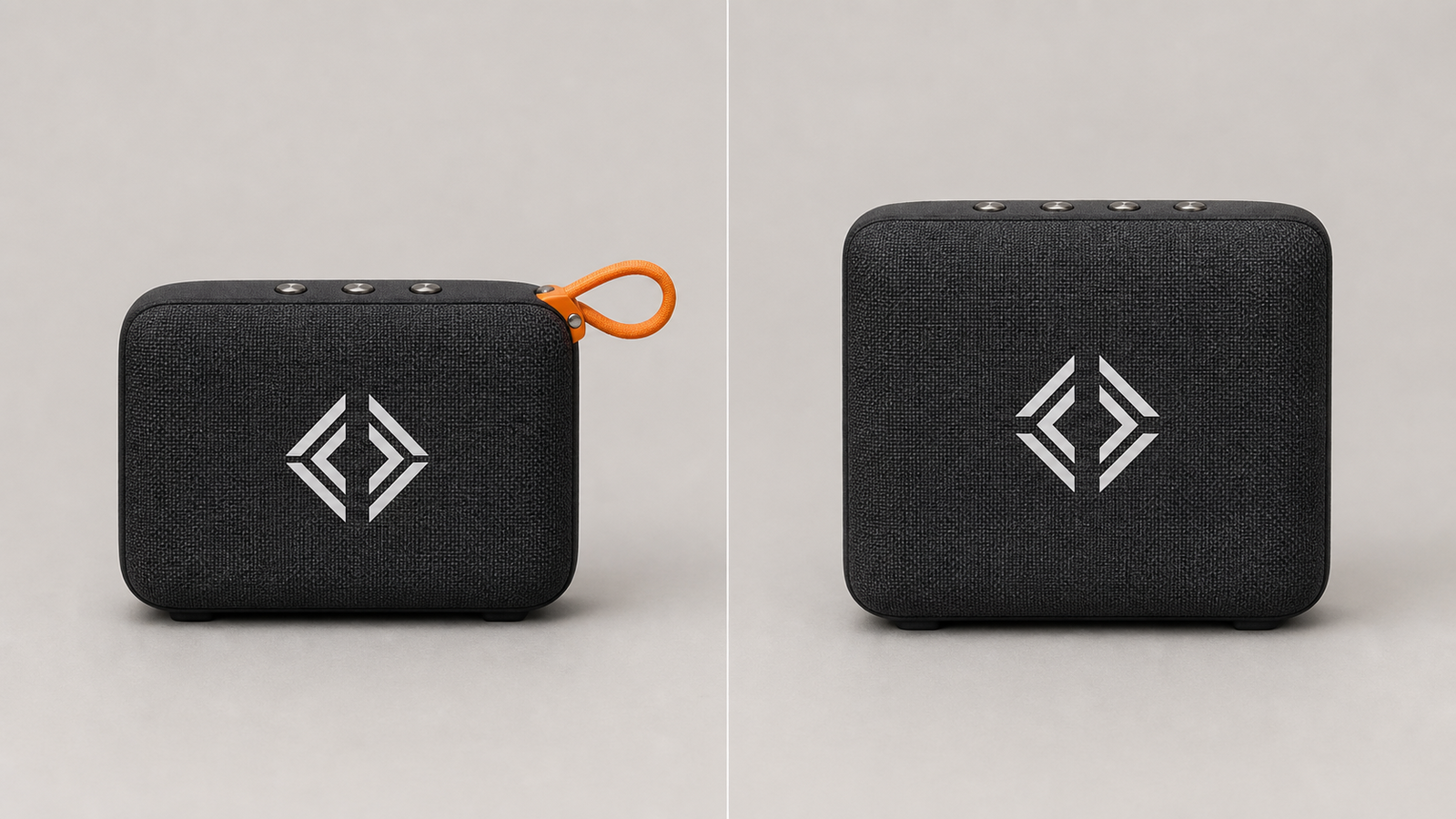
Here's the two-minute test: take your hardest product — lots of text on the packaging, a logo, several parts — not the easiest one. Generate three images and place them next to the original. Does every detail hold? If not, the tool is unusable for listings, no matter how good the demo looked.
2. Platform compliance — are you allowed to use the result?
A beautiful image that breaks the platform's rules costs you the listing. The rules differ per marketplace, and a good tool takes some of that thinking off your hands.
On Amazon the main image must show the real product on pure white — AI-generated lifestyle scenes are only allowed as secondary images. Etsy requires labelling when a work is AI-generated. Shopify has no ban, but if you feed Google Shopping you should mind correct image metadata. The full breakdown is in our guide on what Amazon, Shopify and Etsy actually allow.
Then there's the legal layer: from 2 August 2026 the EU AI Act brings transparency obligations for AI content. What that means concretely for shop owners is in the EU AI Act guide for online retailers.
3. Background and scene control
For most tools "AI image" means "white background". A listing needs more: pure white for the main image, but also context scenes (kitchen, living room, studio, outdoor) for the secondary images — and ideally a custom background from a text description.
Weak: A single, hard-wired studio background. Strong: A selection of real scenes plus free text, with the product staying identical in every scene (see criterion 1).
4. Batch processing — does it work at 200 products?
A tool that makes one image at a time is a toy. A catalogue with hundreds of products needs batch processing: upload, set the style once, generate everything at once. If you have to click, wait and download for each product separately, it stops paying off around the twentieth item.
5. Integration — how does the image get into the listing?
The underrated time sink isn't the generation — it's what comes after: download, rename, re-upload in the shop backend, match it to the right product. A tool with a direct shop connection (Shopify, WooCommerce and others) writes the result straight back into the listing. That's the difference between "image generated" and "product done".
6. Copy and image from one source
A listing isn't just images. Title, bullet points, description and meta tags all shape the conversion rate. A tool that produces image and copy in one pass — in the same brand voice — saves you the second toolbox and keeps the tone consistent. Image-only tools solve half the task.
How to apply the criteria
- Test with the hardest product, not the prettiest. Vendor demos show smooth bottles. Your catalogue has logos, text and edges.
- Always keep the original photo. You need it for the Amazon main image and as a reference to spot deviations.
- Check the main-image rule per platform before you generate — not after.
- Count in time per finished listing, not in "images per minute". Integration and batch decide more than raw render quality.
Decision matrix: what to prioritise by situation
| Situation | Most important criterion | What you can ignore |
|---|---|---|
| Single seller, small catalogue | Fidelity + platform rules | Batch processing |
| Brand with a large catalogue | Batch + shop integration | fancy one-off scenes |
| Pure marketplace seller (Amazon/Otto) | Main-image compliance | lifestyle variety |
| Agency / multiple shops | Integration + copy-and-image | manual per-image tuning |
Anti-patterns: how to spot a weak tool
- It reconstructs instead of relighting. Results look great, but product details drift. The safe test is in criterion 1.
- "Product photos" that only swap backgrounds. Some tools just cut out and drop a scene behind — that's background removal, not product photography. Fine for many cases, but don't let it be sold as more.
- Editor lock-in. If you can only reuse your results inside the platform and get no clean export, the tool doesn't belong in a production workflow.
FAQ
Are AI-generated product images allowed on Amazon? As secondary images yes, as the main image no. The main image must show the real product on pure white. AI lifestyle and context scenes are fine on the other image slots. Per-platform detail: what Amazon, Shopify and Etsy actually allow.
Does an AI tool replace my product photographer? For context scenes, variants and whole catalogues, often yes. For the one load-bearing hero shot, and for products where macro detail or real fit matters, no. Best combine both: real base shot, AI for scale and scenes.
How do I tell whether a tool alters my product? Place three generated images directly next to the original and check logo, wordmarks, proportions and number of parts. If any detail differs, the tool is reconstructing the product instead of relighting it.
Do I have to label AI images? It depends on the platform and the legal situation. Etsy requires labelling of AI-generated works; from 2 August 2026 the EU AI Act adds transparency obligations. The EU AI Act guide frames this for retailers.
What does a good AI product photo tool cost? Most work with credits per image. Watch the time per finished listing more than the price per image — batch and shop integration decide the real cost. Many tools, ProductPolish among them, have a free tier for testing; use it with your hardest product.
In the end the best tool is the one whose results go into the listing with no rework. Start with fidelity — the rest is comfort. If you want to dive in, you'll find the shop connections in our integrations overview.
Related reads
Best AI Product Description Tool 2026: 7 Criteria, Not a Ranking
Which AI tool writes the best product descriptions? Seven criteria for merchants: factual accuracy, channel rules, brand voice, batch processing and shop integration.

AI Product Images: What Amazon, Shopify and Etsy Actually Allow
Are AI-generated product photos allowed on Amazon, Shopify and Etsy? A platform-by-platform breakdown with concrete rules, exceptions, and what can lead to account suspension.

EU AI Act for Online Retailers: What Shop Operators Need to Know in 2026
The AI Act applies from August 2026 — but what does that actually mean for e-commerce listings? What you have to do as a retailer, what your AI tool covers, and where existing law already does the heavy lifting. With deadlines, fines, and a practical checklist.